Facebook Page blocked users in one bookmarklet.
FPBlockedManager is a browser-side tool for exporting blocked Facebook user IDs from a Page to TXT and importing the same one-ID-per-line TXT into another Page.
Drag the yellow button to your bookmarks bar. If dragging is awkward in your browser, use the copy button below and paste the loader into a bookmark URL manually.
manifest URL: https://fpblockedmanager.pages.dev/fpblocked/latest/manifest.html
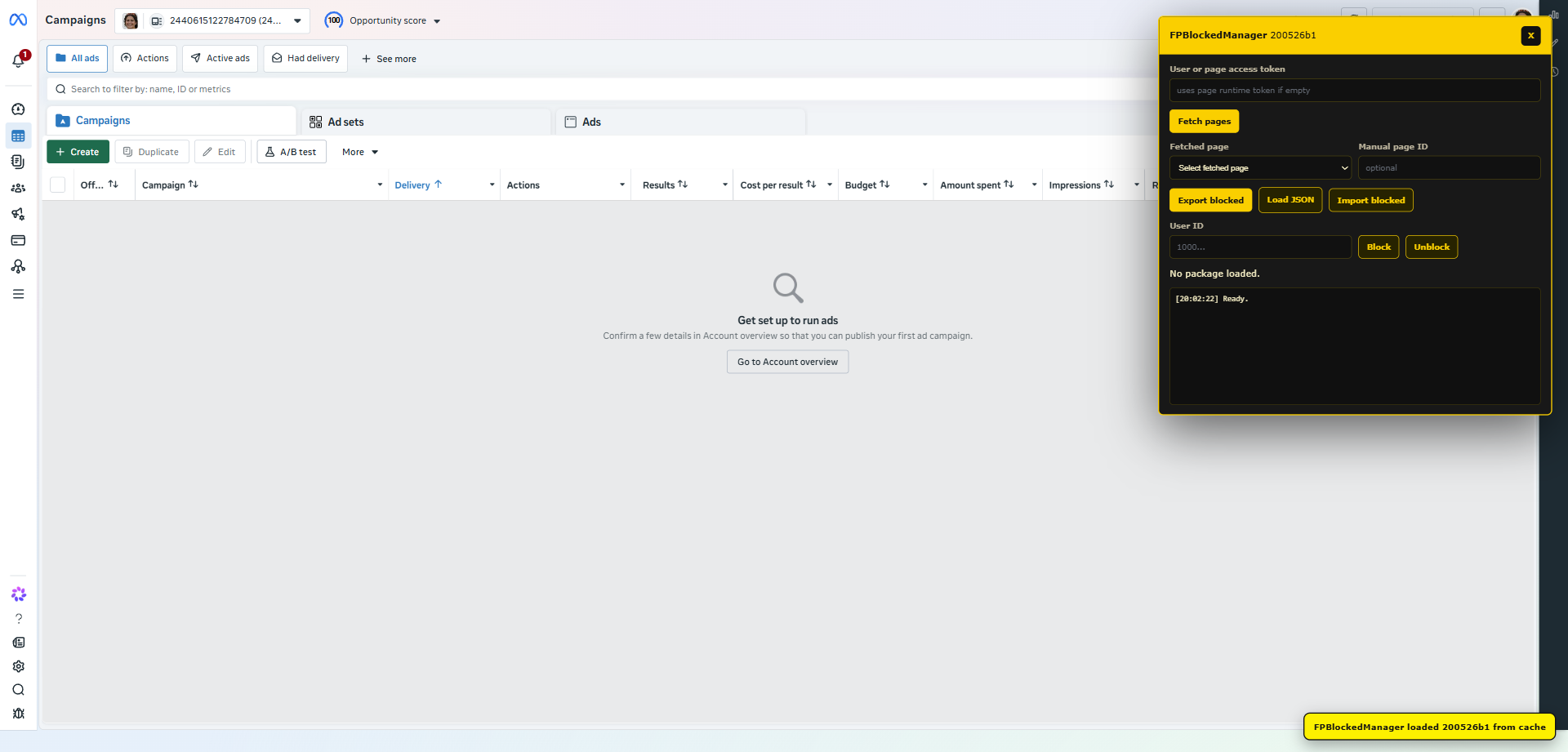
Loads manageable Facebook Pages automatically when the panel opens and keeps work on one selected Page.
Saves blocked user IDs from the selected Page into a plain TXT file, one ID per line.
Reads a TXT file and blocks every user ID line-by-line on the selected Page.
Keeps the panel focused on blocked-user export and import, with status visible in the log.
Runs inside the current Facebook session and does not require a backend.
Keeps every page and user operation visible for verification.
The bookmarklet carries build metadata, verifies payload SHA-256, and caches the latest payload locally.